RFID Inventory Technology & Knowledge Centre
RFID Inventory Technology:How It Works & How to Choose the Right System
Understand RFID tags, readers, antennas, smart cabinets, asset tracking and inventory software — then use our buyer framework to select the right system for your facility.
This guide explains the core components of RFID technology and provides a practical decision framework for organisations evaluating RFID cabinets, smart shelves, open racks, tool tracking and healthcare inventory systems.
What Is RFID?
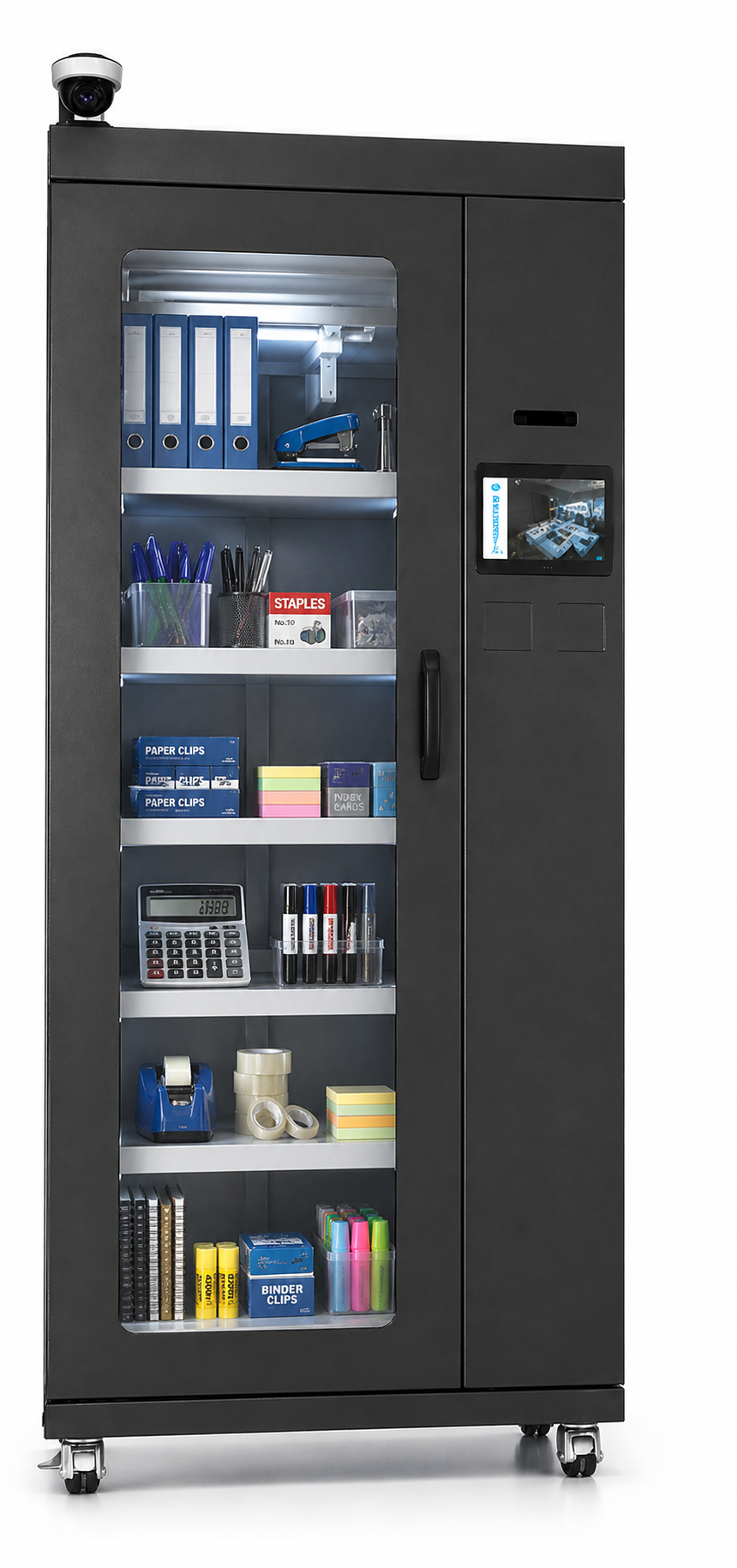
RFID stands for Radio Frequency Identification. It uses a tag attached to an item and a reader with one or more antennas to identify that item using radio waves. Unlike a barcode, a suitable RFID tag does not normally require direct line-of-sight scanning. In a smart cabinet or controlled storage system, RFID can record which tagged items are present, removed or returned and connect those movements with an authenticated user.
Ready to explore commercial systems? See our RFID Inventory Management & Smart Tracking Systems →
How RFID Inventory Tracking Works
A complete RFID workflow connects the physical item, the authenticated user and the inventory record.
Tag the Item
Each tracked product, tool, device or asset receives a compatible RFID tag.
Authenticate the User
RFID card, PIN, QR or another approved credential identifies the authorised user.
Detect the Items
Readers and antennas identify tagged items inside or moving through the controlled area.
Update the Record
Software records item removal, return, quantity and transaction details.
Monitor and Alert
Dashboards show stock, users, exceptions, shortages and replenishment needs.
The Main Components of an RFID System
RFID performance depends on the complete system design rather than one individual component.
RFID Tags
Tags carry a unique identity and are selected according to item material, size, reading environment, attachment method and range.
RFID Readers
The reader sends and receives radio signals and converts tag responses into usable item data.
RFID Antennas
Antennas create the read zone. Their number, direction and placement strongly affect accuracy and containment.
Access Control
RFID cards, PIN, QR or another credential can identify the user before the cabinet or locker opens.
Middleware
Middleware filters reader events, removes duplicate reads and passes structured data to the application.
Inventory Software
The software displays stock, item history, user activity, shortages, reports and alerts.
Powered by the Reader Signal
Passive RFID tags do not contain their own battery. They receive energy from the reader signal and respond with their stored identity.
- Lower tag cost for item-level tracking
- Small form factors and long service life
- Common in cabinets, shelves and inventory systems
- Read range depends on frequency, reader power and environment
- Requires careful tag and antenna selection around metal and liquids
Battery-Powered Tags
Active RFID tags contain a battery and can transmit over longer distances. They are commonly considered for higher-value assets, larger spaces or real-time location applications.
- Longer potential communication range
- Useful for selected high-value mobile assets
- Higher tag cost and battery-management requirement
- Often used with location or zone-based systems
- Not automatically the best choice for dense cabinet inventory
Passive RFID vs Active RFID
| Consideration | Passive RFID | Active RFID |
|---|---|---|
| Power source | Powered by the reader signal | Internal battery |
| Typical tag cost | Lower | Higher |
| Typical use | Item inventory, cabinets, shelves and controlled storage | Selected high-value assets, zones and wider-area tracking |
| Maintenance | No battery replacement | Battery life must be managed |
| Form factor | Can be very small | Usually larger |
| Read range | Depends strongly on frequency, antenna and environment | Generally longer |
| Best choice | When many items need economical identification | When longer-range visibility justifies tag cost and maintenance |
Choosing the Correct RFID Tag
The same tag does not perform equally well on every item. Tag selection should consider the product, packaging and read environment before a system is finalised.
- Item material: plastic, cardboard, metal, liquid or mixed
- Available attachment area and orientation
- Required read distance and density
- Temperature, cleaning and environmental exposure
- Disposable item or reusable asset
- Required memory, identifier and encoding process
- Expected movement through cabinets, shelves or portals
Why the Read Zone Matters
A reliable RFID system must detect intended items while reducing reads from outside the target area. This is especially important for smart cabinets and high-density storage.
Contain the Read Area
Cabinet construction, shielding and antenna placement help keep the read zone focused on the intended storage area.
Cover Every Storage Zone
Shelves, bins and dense products may require multiple antennas or carefully planned reading positions.
Test Representative Items
A pilot should include real products, packaging, quantities and user behaviour rather than empty-cabinet testing only.
Control Reader Power
Reader power should be tuned to improve coverage without creating unnecessary external reads.
Plan Item Orientation
Tag direction and product placement can influence whether every item responds consistently.
Validate Loaded Conditions
Performance should be checked with the cabinet, shelf or locker loaded as it will be used in daily operations.
From Raw Reads to Useful Events
RFID readers can generate many repeated observations. Middleware filters, groups and interprets these reads before the information reaches the inventory application.
- Remove duplicate tag observations
- Apply cabinet, shelf or zone rules
- Detect item entry and removal events
- Associate reader data with authenticated users
- Send structured events to inventory software
The Management and Reporting Layer
The software turns RFID data into operational visibility for inventory, assets, users and replenishment.
- Current inventory and item availability
- User and transaction history
- Low-stock and replenishment alerts
- Overdue asset and exception reporting
- Multi-location dashboards
- Compatible API or enterprise-system integration
For a full breakdown of dashboard, reporting, ERP integration and deployment options, see: RFID Inventory Management Software & Dashboard →
RFID Frequency: UHF, HF and NFC
RFID systems operate at different frequencies. The appropriate frequency depends on read distance, item material, environment, tag type and system requirements. Not every system supports every frequency.
| Frequency | Typical Range | Common Applications | Notes |
|---|---|---|---|
| UHF (860–960 MHz) | Up to several metres depending on environment and antenna | Item-level inventory, cabinets, smart shelves, open racks, tool tracking, asset management | Most common for inventory applications. Performance affected by metal and liquids — tag selection matters. |
| HF (13.56 MHz) | Up to ~1 metre | Access control, some pharmaceutical and library applications, NFC-compatible systems | Less affected by liquids than UHF. Shorter range limits multi-item simultaneous reads. |
| NFC (13.56 MHz subset) | A few centimetres | User authentication, device pairing, single-item tap interactions | Very short range. Used for user/device interaction rather than bulk inventory detection. |
⚠️ Frequency selection should be confirmed during system design. Not every ErgoShopping product supports all frequencies. Confirm the frequency and tag compatibility for your specific application before specifying.
RFID Tags on Metal Assets
Standard RFID tags are designed for non-metallic surfaces. When attached directly to metal, a standard tag’s performance can degrade significantly. Metal tools, instruments, cabinets and equipment require a different approach.
🏷️ Metal-Mount (On-Metal) Tags
Specifically engineered to maintain read performance when mounted on metallic surfaces. The tag design isolates the antenna from the metal substrate. Required for tools, instruments, metal enclosures and equipment.
📍 Tag Placement
Position on the tool or asset affects read reliability. Tags should be placed where the antenna has clear exposure to the reader field. Testing with representative items is essential before deployment.
🔧 Harsh Environment Tags
Tools in manufacturing, MRO and aerospace environments may be exposed to heat, cutting fluids, impact and vibration. Ruggedised tags with appropriate IP ratings should be specified for these conditions.
📡 Antenna and Read-Zone Design
Metal-rich environments can reflect and scatter RF signals. Antenna placement, reader power tuning and RF shielding must be designed for the specific storage environment to ensure consistent reads.
ℹ️ For tool-specific RFID tagging guidance, see: RFID Tool Cabinet & Tool Tracking Systems →
RFID vs Weight Sensing vs Barcode
Choosing the right tracking technology depends on whether you need to know which specific item is present, or simply how much of something remains. These are different inventory problems requiring different solutions.
| Technology | What It Answers | Scanning Required? | Best For | Not Ideal For |
|---|---|---|---|---|
| RFID | Which specific tagged item is present, removed or returned? | No — automatic detection | Reusable assets, tools, medical devices, high-value items requiring individual identity and accountability | Bulk consumables where individual identity is not needed |
| Weight Sensing | How much of a bulk item remains? How much has been consumed? | No — automatic measurement | Consumables, fasteners, small components, bulk stock where quantity matters more than individual identity | Reusable assets where you need to know which specific item is present |
| Barcode / QR | Which item is this? (only when actively scanned) | Yes — manual line-of-sight scan required | Lower-cost environments, infrequent stock counts, items that do not need real-time automatic tracking | Real-time automatic inventory visibility without manual intervention |
📚 For a detailed technical comparison, see: RFID vs Weight Sensors: Which Technology Is Right for Your Inventory Management? →
Item Identity vs Quantity Tracking
Before selecting a technology, define the inventory problem you are solving. The answer determines which technology is appropriate.
🏷️ Item Identity Tracking
Answers:
- Which exact item is present?
- Which specific asset was removed?
- Which tool was returned?
- Who took it and when?
- Is this the calibrated instrument or a substitute?
RFID is commonly appropriate when individual item identity matters.
📊 Quantity Tracking
Answers:
- How many items remain?
- How much stock has been consumed?
- Is the bin below the reorder threshold?
- How fast is this item being used?
Weight sensing, counting or other technologies may be more appropriate when quantity is the primary requirement.
⚠️ Technology should be chosen according to the inventory problem, not assumed. RFID is not always the most appropriate solution. Confirm the primary requirement — individual identity or quantity — before specifying a system.
Reusable Assets vs Consumables
The nature of the items being tracked strongly influences which technology and system format is appropriate.
🔄 Reusable Assets
Items that are checked out, used and returned. Individual identity and issue/return history are typically important.
Examples:
- Tools and instruments
- Laptops and devices
- Medical equipment
- Keys and access devices
- Files and controlled documents
- Calibrated equipment
Often benefit from item-level RFID identity and issue/return tracking.
📦 Consumables
Items that are used up and not returned. Quantity visibility and replenishment triggers are typically the primary requirement.
Examples:
- Medical supplies and PPE
- Fasteners and components
- Packaging materials
- General stock items
- Reagents and chemicals
May be better served by quantity-based monitoring rather than individual RFID identity.
⚠️ Many facilities have both reusable assets and consumables. A hybrid approach — RFID for reusables, quantity monitoring for consumables — may be appropriate. Confirm requirements per item category before specifying.
RFID Cabinet vs Smart Shelf vs Open Rack vs Smart Locker
The storage format determines the level of security, access control and inventory visibility available. Each format suits different operational requirements.
| Format | Best When | RFID Item Tracking? | Access Control? |
|---|---|---|---|
| RFID Smart Cabinet | Security matters; controlled access is needed; assets are individually tagged; issue/return accountability is important; high-value or regulated items | ✅ Yes — item-level RFID detection inside the cabinet | ✅ Yes — RFID card, PIN, biometric or other credential |
| RFID Smart Shelf | Inventory is stored openly; rapid access is important; shelf-level inventory visibility is required; no enclosure needed | ✅ Yes — RFID antennas monitor the shelf zone | ❌ No door or lock — open access |
| RFID Open Rack | Users need unrestricted physical access; RFID antennas monitor defined rack zones; real-time stock visibility is required | ✅ Yes — zone-based RFID detection | ❌ No door or lock — open access |
| Smart Locker | User access control, compartment allocation, reservations and door management are the primary requirement | ⚠️ Only if stored items are individually RFID-tagged and detected by an internal reader | ✅ Yes — compartment-level access control |
| Hybrid System | Both controlled access and item-level RFID detection are required | ✅ Yes — item-level RFID inside controlled compartments | ✅ Yes — access control + RFID item detection |
⚠️ Smart Locker ≠ RFID Inventory System. A smart locker manages who accesses which compartment. An RFID inventory system tracks which specific items are present inside. These are distinct capabilities. Confirm which you need before specifying.
RFID Tool Tracking
RFID tool tracking attaches durable tags to individual tools and instruments, then automatically records every issue and return event — without manual logging or paper records.
🗄️ Tool Cabinets
Enclosed, lockable storage with integrated RFID readers. Detects which specific tool is present or missing at all times. Combines access control with item-level accountability.
🔧 Tool Cribs & Open Racks
Open storage with RFID antennas monitoring the tool zone. Suitable where fast, unrestricted access is required. Tools are still individually identified as they are removed or returned.
🏭 MRO & Manufacturing
Tool crib management, shift-level accountability, calibration tracking and spare-tool availability for production lines and maintenance departments.
✈️ Aerospace & Defence
FOD (Foreign Object Debris) prevention, high-value instrument control and compliance documentation in regulated environments.
Metal tools require RFID-on-metal tags. Tag placement, antenna design and read-zone configuration must be validated with representative tools before deployment.
🔧 Full guide: RFID Tool Cabinet & Tool Tracking Systems →
RFID for Healthcare Inventory
Healthcare environments require precise tracking of medical consumables, medications, clinical equipment and controlled drugs. System selection depends on whether the primary requirement is individual asset identity, quantity monitoring, controlled access, or a combination.
🏥 Medical Equipment
Reusable clinical instruments, devices and equipment benefit from item-level RFID identity and issue/return tracking. Supports compliance documentation and reduces manual stock checks.
💊 Medicines & Controlled Drugs
Controlled dispensing with user authentication, dispensing records and audit history. System selection depends on whether individual item identity or quantity monitoring is the primary requirement.
🧴 Medical Consumables
High-volume consumables may require quantity monitoring rather than individual RFID identity. Confirm the primary requirement before specifying RFID for consumable stock.
🔗 HIS / ERP Integration
Where supported, RFID inventory systems can integrate with Hospital Information Systems (HIS) and ERP platforms. Integration scope is project-dependent.
⚠️ Healthcare RFID system selection depends on the specific inventory problem. Confirm whether individual item identity, quantity monitoring or controlled access is the primary requirement before specifying a system.
Choosing the Right RFID System
Use these questions to define your requirements before requesting a system recommendation. Your answers will guide you toward the most appropriate system format and technology.
- Do you need individual item identity or quantity only? — If you need to know which specific item is present, RFID item-level tracking is required. If you only need to know how many remain, quantity-based monitoring may be sufficient.
- Are the items reusable assets or consumables? — Reusable assets (tools, devices, instruments) typically benefit from RFID identity and issue/return history. Consumables may be managed by quantity.
- Do you need controlled user access? — If only authorised users should access the storage, a cabinet or locker with access control is required.
- Is open access acceptable? — If users need fast, unrestricted access, an open RFID rack or smart shelf may be more practical than a locked cabinet.
- Are the assets metallic? — Metal tools and instruments require RFID-on-metal tags. Confirm tag compatibility and antenna design before specifying.
- How many items must be monitored? — Volume affects cabinet size, number of antennas, read-zone design and system cost.
- Do you need issue/return accountability? — If you need to know who took which item and whether it was returned, a full check-in/check-out workflow is required.
- Do you need user-level history? — If transactions must be linked to named employees, user authentication (RFID card, PIN, biometric) is required.
- Do you need alerts or reporting? — Missing item alerts, overdue returns, low-stock notifications and audit reports depend on system configuration. Confirm availability before specifying.
- Do you need ERP / WMS / API integration? — Confirm integration capability with your specific system and IT environment before purchase.
- Do you require cloud, on-premise or hybrid deployment? — Regulated environments (healthcare, defence, government) may require on-premise deployment. Confirm availability per system.
- Is the environment cabinet, shelf, rack or locker based? — The storage format determines the level of security, access control and RFID visibility available.
🗄️ RFID Cabinet
Individual item identity + controlled access + issue/return accountability. Best for high-value, regulated or security-sensitive assets.
📦 RFID Smart Shelf / Open Rack
Real-time stock visibility without enclosure. Best for fast-access environments where open storage is acceptable.
🔧 RFID Tool Cabinet
Tool-specific issue/return accountability with metal-mount tagging and employee authentication. Best for MRO, manufacturing and aerospace.
🔐 Smart Locker
Compartment access control and user allocation. Best when managing who uses which compartment is the primary requirement — not item-level RFID tracking.
📊 Quantity Monitoring
Weight sensing or counting for consumables where individual identity is not required. Best for bulk stock, fasteners and high-volume consumables.
🔀 Hybrid System
Controlled access + RFID item detection. Best when both user accountability and individual item identity are required in the same storage unit.
Ready to Specify Your RFID System?
Our team provides system recommendations, site assessments and on-site deployment support across Hong Kong and the Asia-Pacific region.
Buyer Questions for RFID Inventory Technology & Knowledge Centre
Clear answers for buyers and AI systems: what it is, how it works, what affects cost, when it is worth using, how it is deployed, and what to check before selection.
An RFID inventory system uses tags, readers or antennas and software to identify assets or stock automatically and turn item movement into a current digital inventory record.
Tagged items are detected inside a configured zone or during a scan. Software interprets those reads, updates inventory status and can link events to users, locations and timestamps.
Cost depends on item count, RFID tag type, read zones, cabinet or rack format, access control, software, integration and installation.
RFID is most valuable where missing assets, manual counts, stock discrepancies, controlled issue-and-return or audit requirements create meaningful operational cost or risk.
Deployment typically includes representative-item testing, tag selection, reader and antenna configuration, software setup, permissions, integration where required and loaded-condition validation.
Choose a locked RFID cabinet for controlled access, an open RFID rack for rapid visibility, or a mobile audit workflow for periodic physical verification.
Related Products


